
 Free Time Tracker
 Free Time Tracker App to Record Employee Work Hours Automatically
GajiHub Time Tracker is a free time tracking app for employee computers. Just click "Start" when work begins, and the app automatically records work hours, takes periodic screenshots, and detects active and idle time. You`ll know what your team is working on and for how long, with no manual recaps.
 Free on the Free plan · Windows, macOS & Linux
 GajiHub TimeTracker
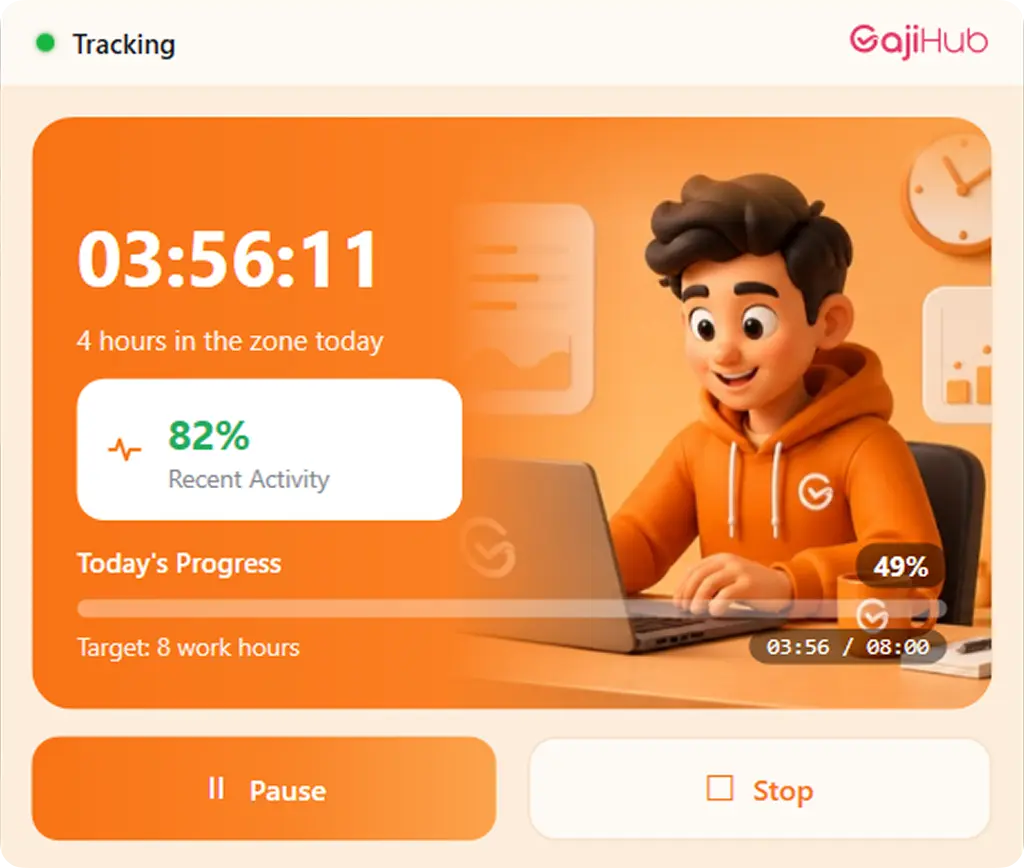
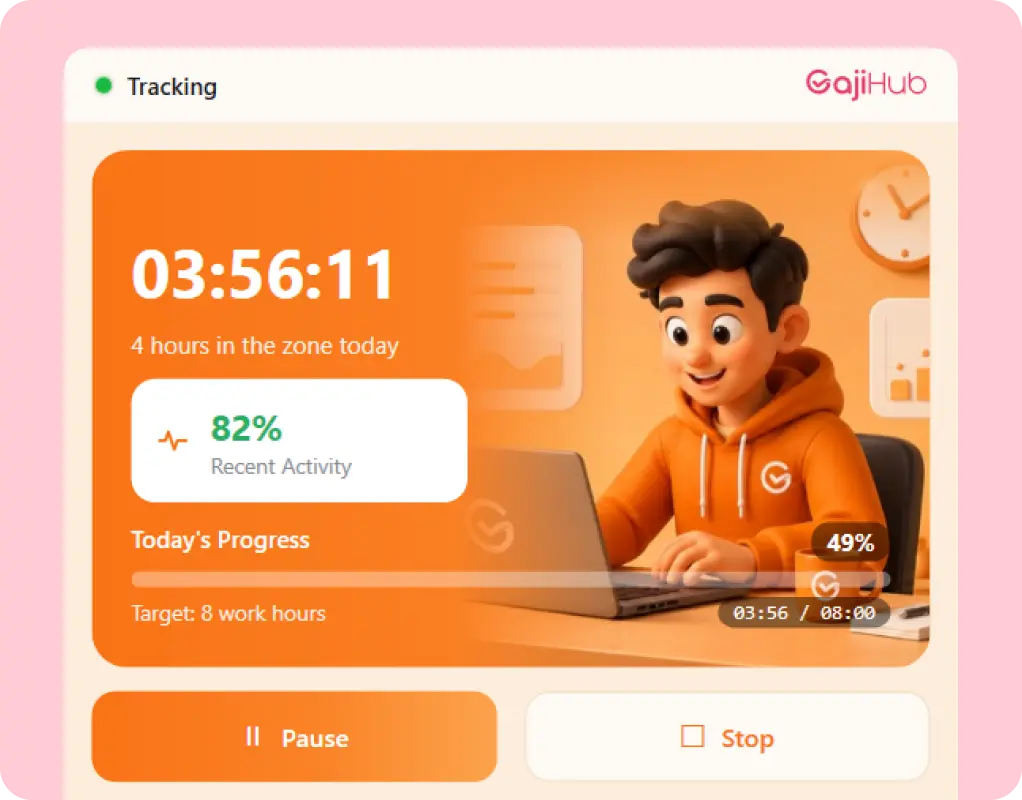
6 hours of dedicated focus today
 43% Recent Activity


A Desktop Time Tracker That Works in the Background
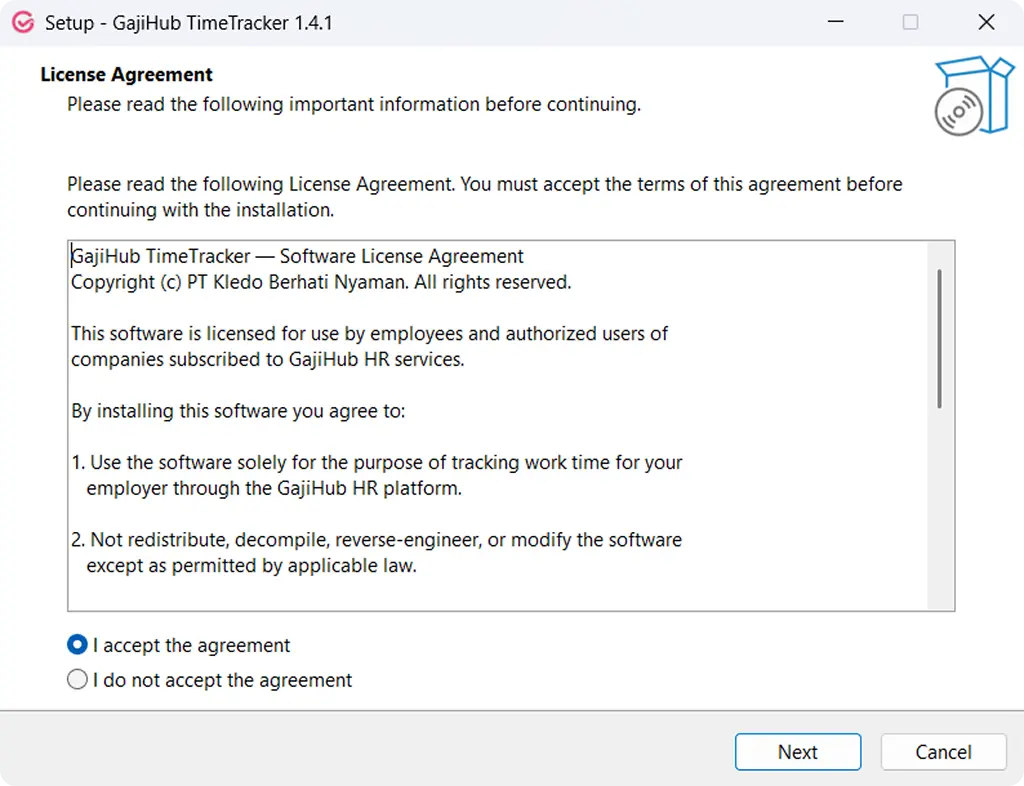
GajiHub Time Tracker is installed on employee computers running Windows, macOS, or Linux. Employees just click "Start" when they begin working, and the app runs automatically, recording everything.
- 1
Install and log in on each employee's computer.
- 2
Click "Start" and the app records work hours, screenshots, and activity.
- 3
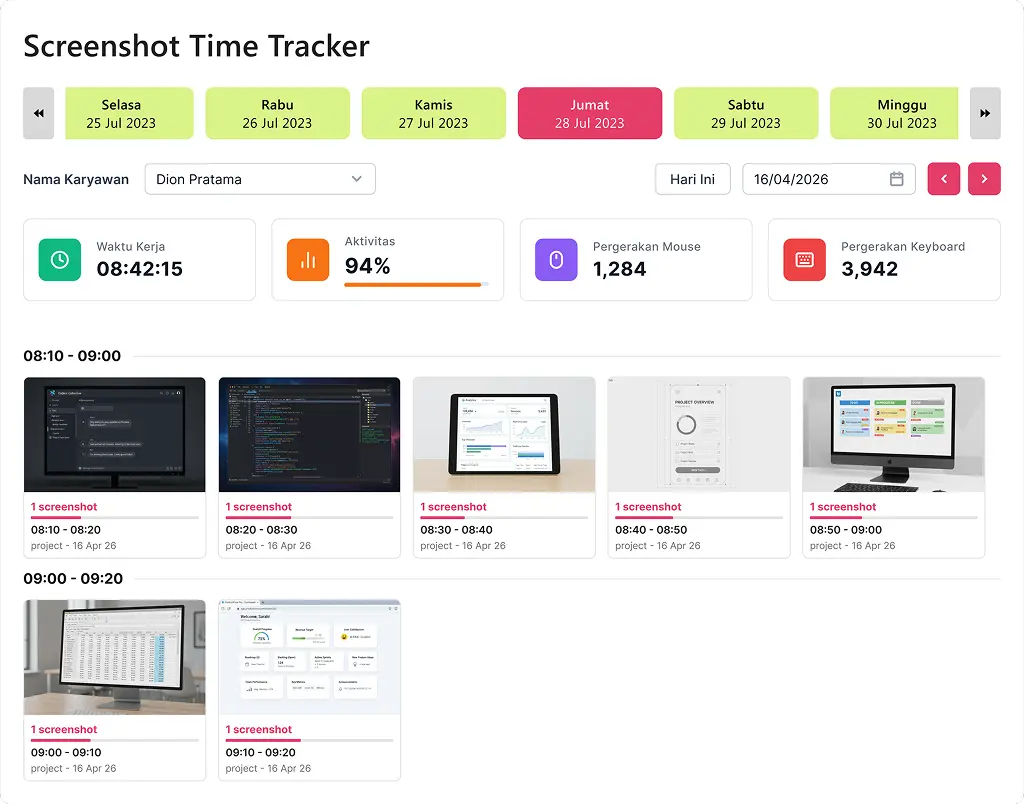
Everything flows into the GajiHub dashboard, so you can monitor your whole team from one place, anytime.
Works on every operating system
Team uses a mix of Windows, Mac, and Linux? Everyone is still tracked from one dashboard.


Everything Recorded Automatically
No more manual tracking in Excel that eats up time and is easy to manipulate.
Working hours
Each employee's working time is recorded automatically, from start to finish.
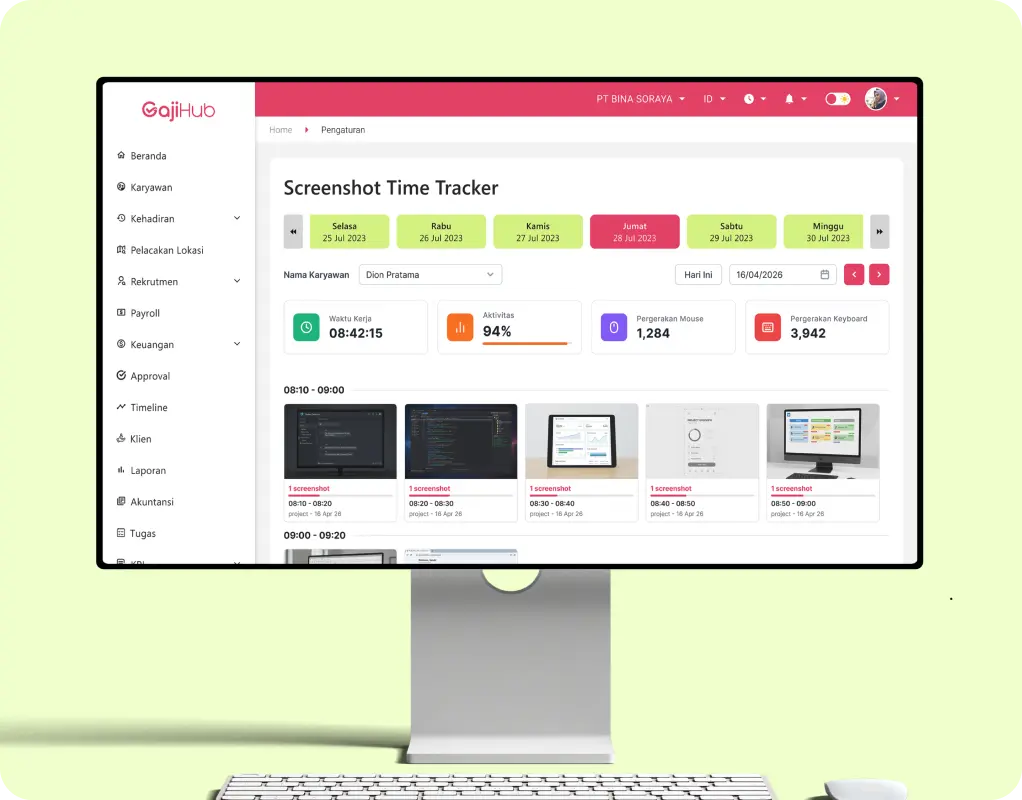

Screenshots
Taken periodically, so you know exactly what's being worked on.
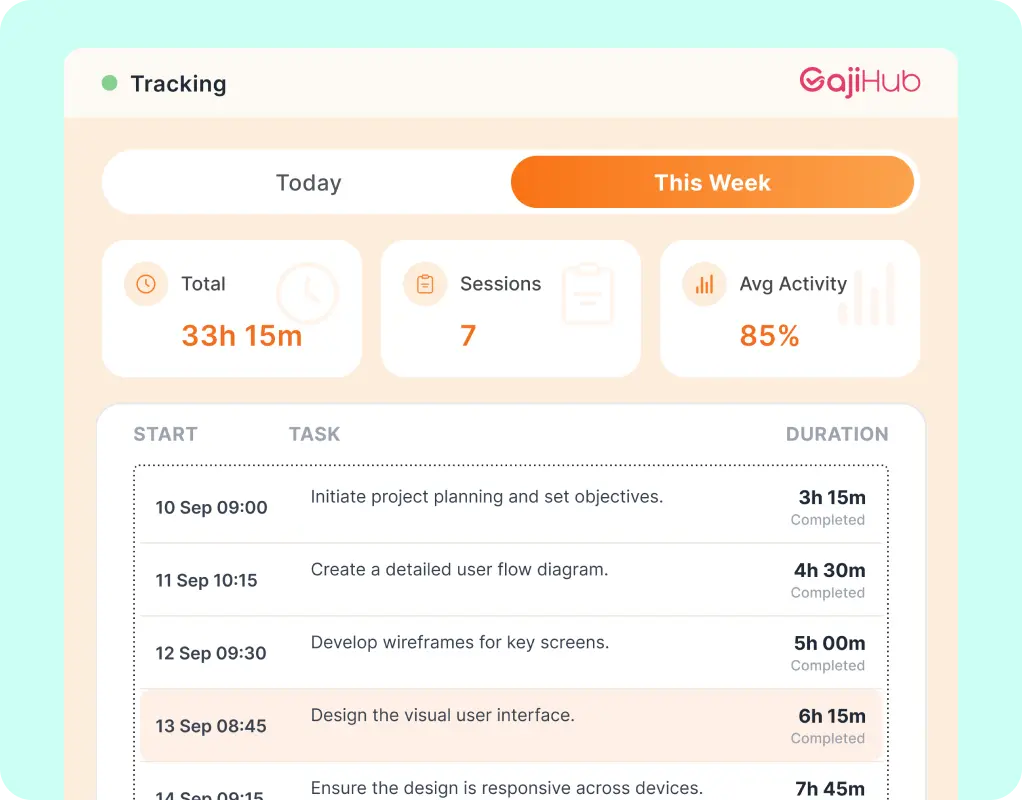

Time per project
See how long each task or project takes, to help set priorities and estimates.
Computer activity
today
Active 82%Idle 18%
Computer activity
Mouse and keyboard activity is used to tell active time apart from idle time.
Working Time
00:36:42
Activity
59.22%
Mouse Movements
300,086
Keyboard Strokes
1,281
Access is managed through role-based permissions, and the data is transparent: employees can see their own time records too. It's not about surveillance. It's about making teamwork measurable and transparent.
Why Choose GajiHub Time Tracker
Connected directly to the GajiHub app
All employee data is integrated in one system, with no separate software or moving data between apps.
Works on every operating system
Your team uses a mix of Windows, Mac, and Linux? Everyone can still be tracked from the same dashboard.
Customizable access permissions
Decide who can see whose data, based on each person's role.
No manual recaps, no fraud
Replace time-consuming, easy-to-manipulate Excel tracking with data that's recorded automatically.
Start with the Free Plan
Screenshots are stored for up to 2 weeks on the Free plan. Need longer storage? Just upgrade.

Free
Free forever
Screenshots kept
2 weeks

Pro
Longer storage
Screenshots kept
1 month

Elite
For growing teams
Screenshots kept
3 months
 Popular
Champion
Longest archive
Screenshots kept
6 months
Secure Data,
Guided Setup

ISO/IEC 27001 certified
All employee activity data is encrypted and managed to international information security standards, which matters for sensitive data like screenshots and work hours.

Free 1-on-1 support via Zoom
The GajiHub team is ready to guide you through setup and everyday use in personal sessions, whenever you need them. No hidden training or implementation fees.


Frequently Asked Questions about
GajiHub Time Tracker
Quick answers to the most common questions before you start using Time Tracker.
Still have questions?
Chat with the GajiHub team on WhatsApp, or get free 1-on-1 help via Zoom to set up Time Tracker for your team.
 Chat via WhatsApp
Start Tracking Your Team's Work Hours Automatically Today
Install, click "Start," and see your whole team's activity from one dashboard. Free to try, no commitment.


Supported operating systems


One dashboard for every team
Rp0
Starting on the Free plan